Draft coach for League of Legends
Win the game before it starts
Drafter follows your champion select in real time and coaches you through it: what to pick, what to ban, how every matchup looks, what to build and how to play the first 15 minutes.
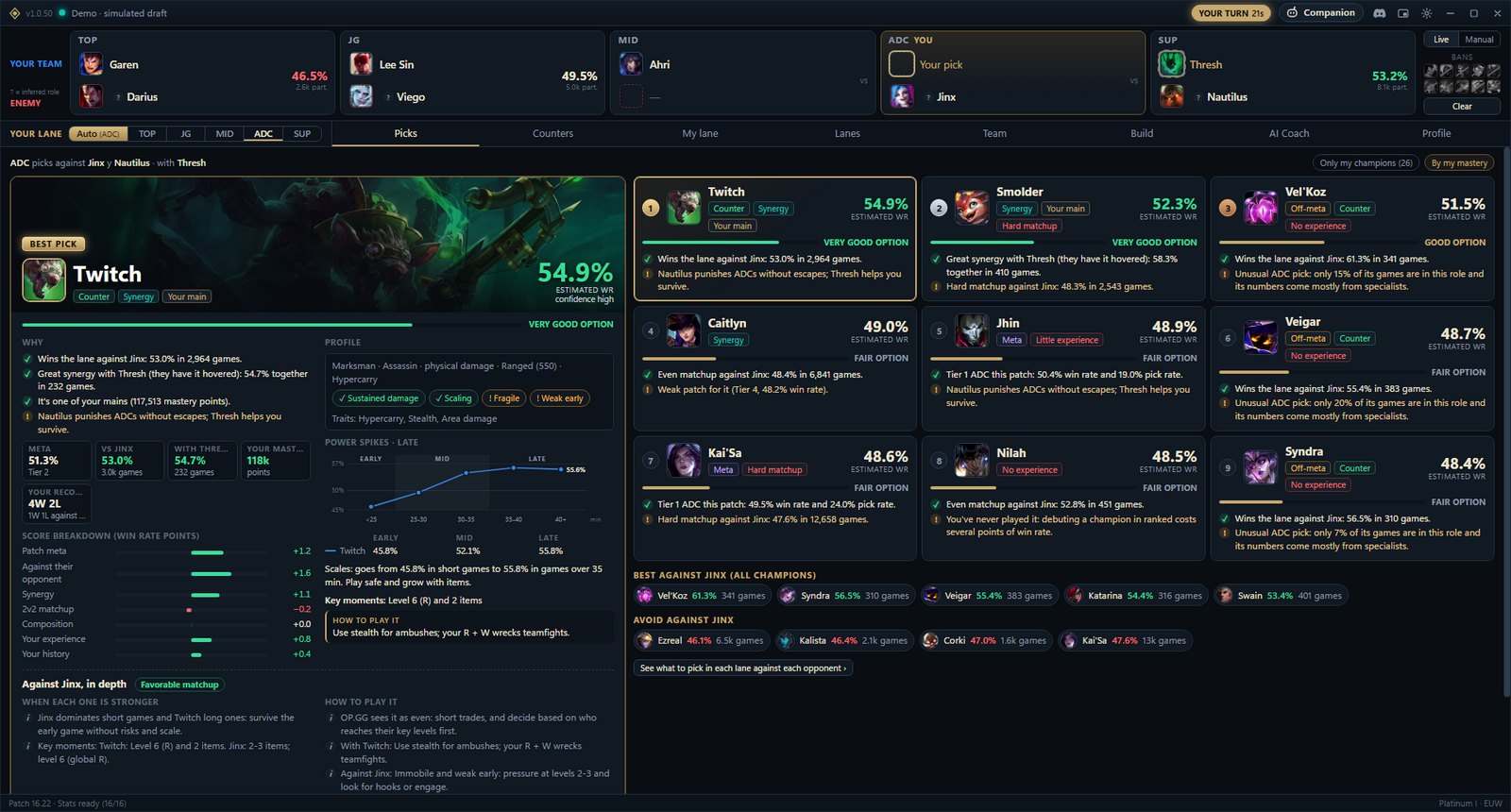
Everything you need, at every stage of the game
From champion select to the final summary, with real patch statistics and your own match history.
Champion select
What to pick, what to ban, and why
It follows your champion select in real time and ranks the picks for your role using each matchup’s win rate, synergy with your allies, the patch meta and your own experience on each champion. Every suggestion comes with its reasons.
- The best pick highlighted, with its estimated win rate and reasons
- Counters in every role against any enemy, or against their whole team
- What to ban while you still have a ban
Your lane
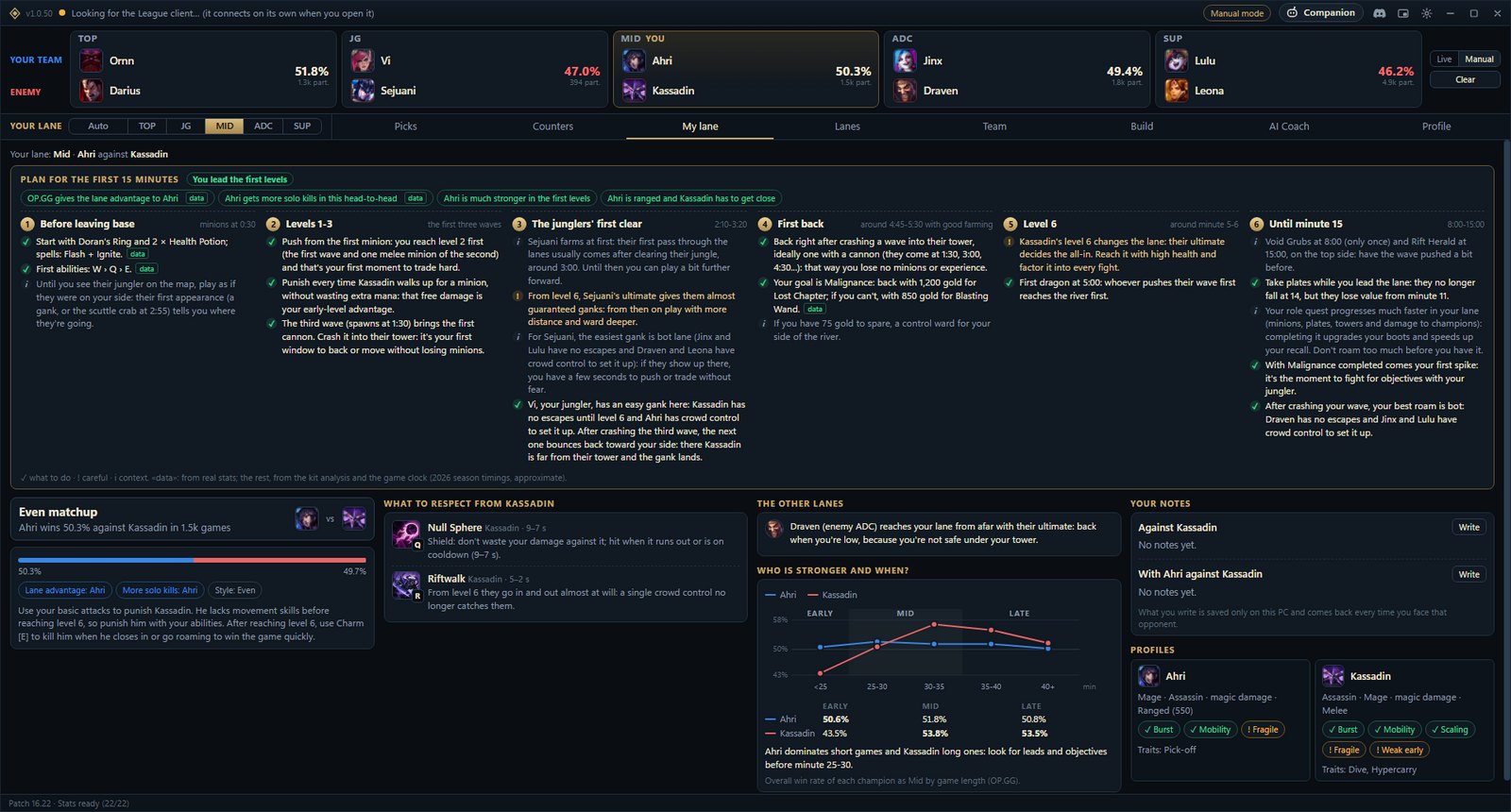
Your plan for the first 15 minutes
Step by step: what to start with, how to play levels 1–3, when the enemy jungler shows up, when to back and with how much gold, what changes at level 6 and which objectives come up until minute 15. Plus which enemy abilities to respect and who is stronger at each stage.
- Full 2v2 breakdown if you play ADC or support
- Your real laning phase, taken from your own games
- Your own notes against each opponent
Build
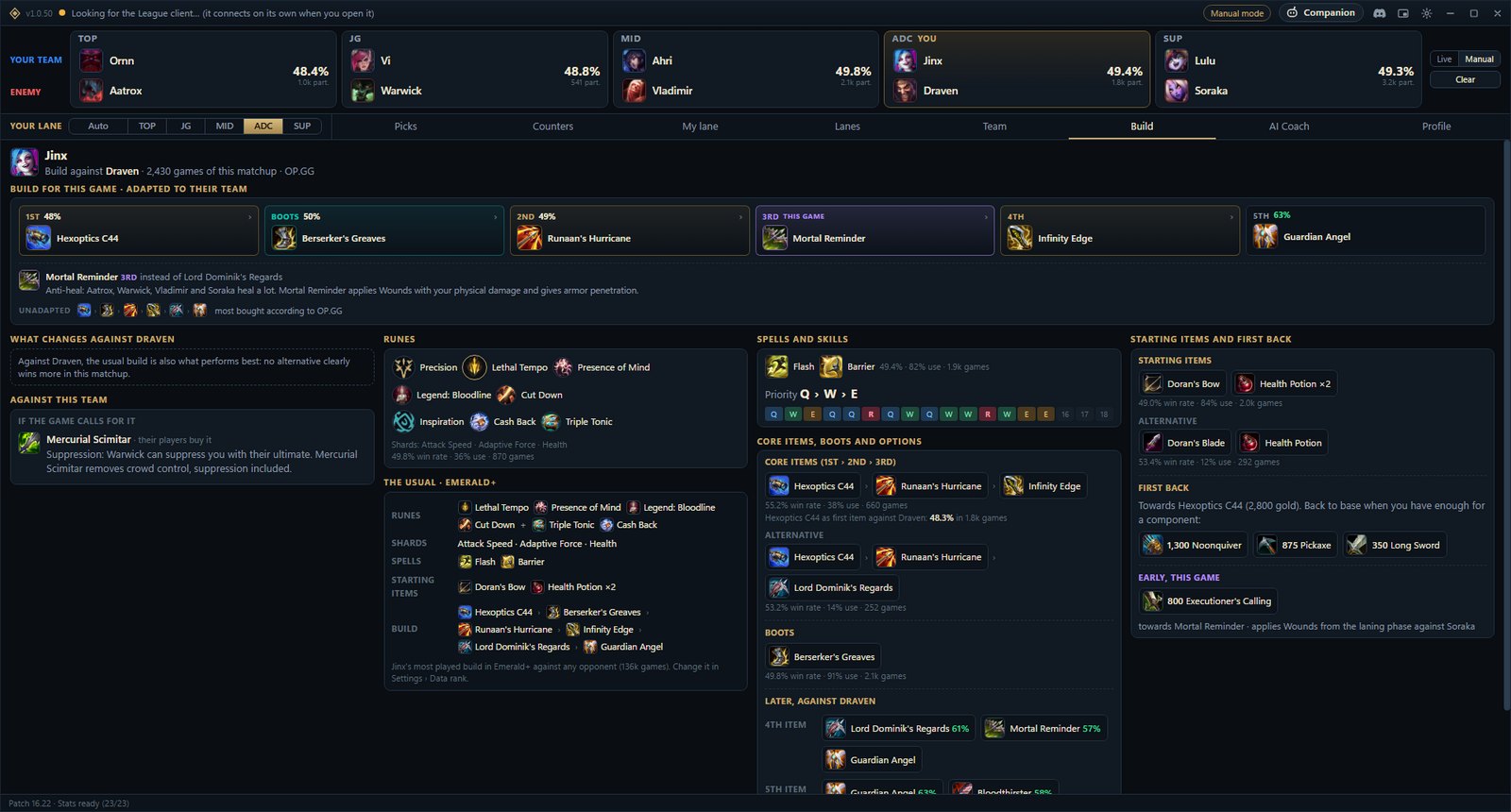
A build for this game, not the usual one
Runes, spells, skill order and items adapted to your matchup. If the enemy team heals a lot, is full of tanks or deals mostly physical damage, it slots in the item that fits your champion and tells you why, with the numbers.
- Import the runes and item set into your client in one click
- What changes from the usual build, and why
- Real OP.GG statistics from the current patch
Second screen
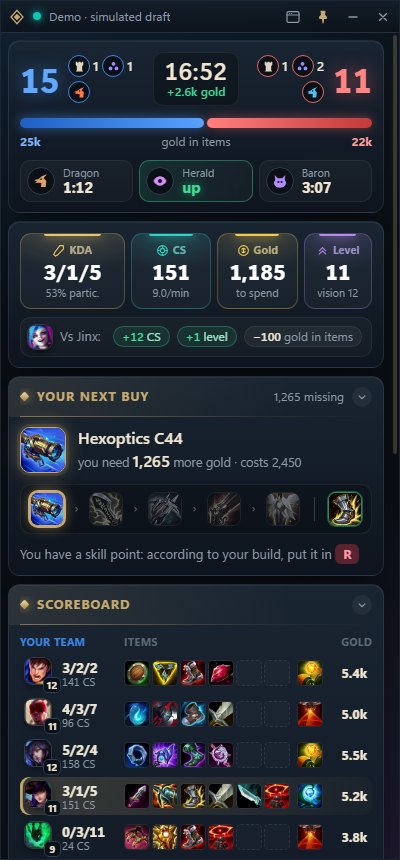
The mini window, during the game too
A small window with what matters right now. In champion select: what to ban, what to pick and your build; on the loading screen, all ten players with their rank and form; in game, each team’s item gold, when each objective spawns, your numbers against your lane opponent and your next buy.
- Only what the game already shows: no hidden timers
- It never touches your mouse or keyboard
- A game summary when it ends
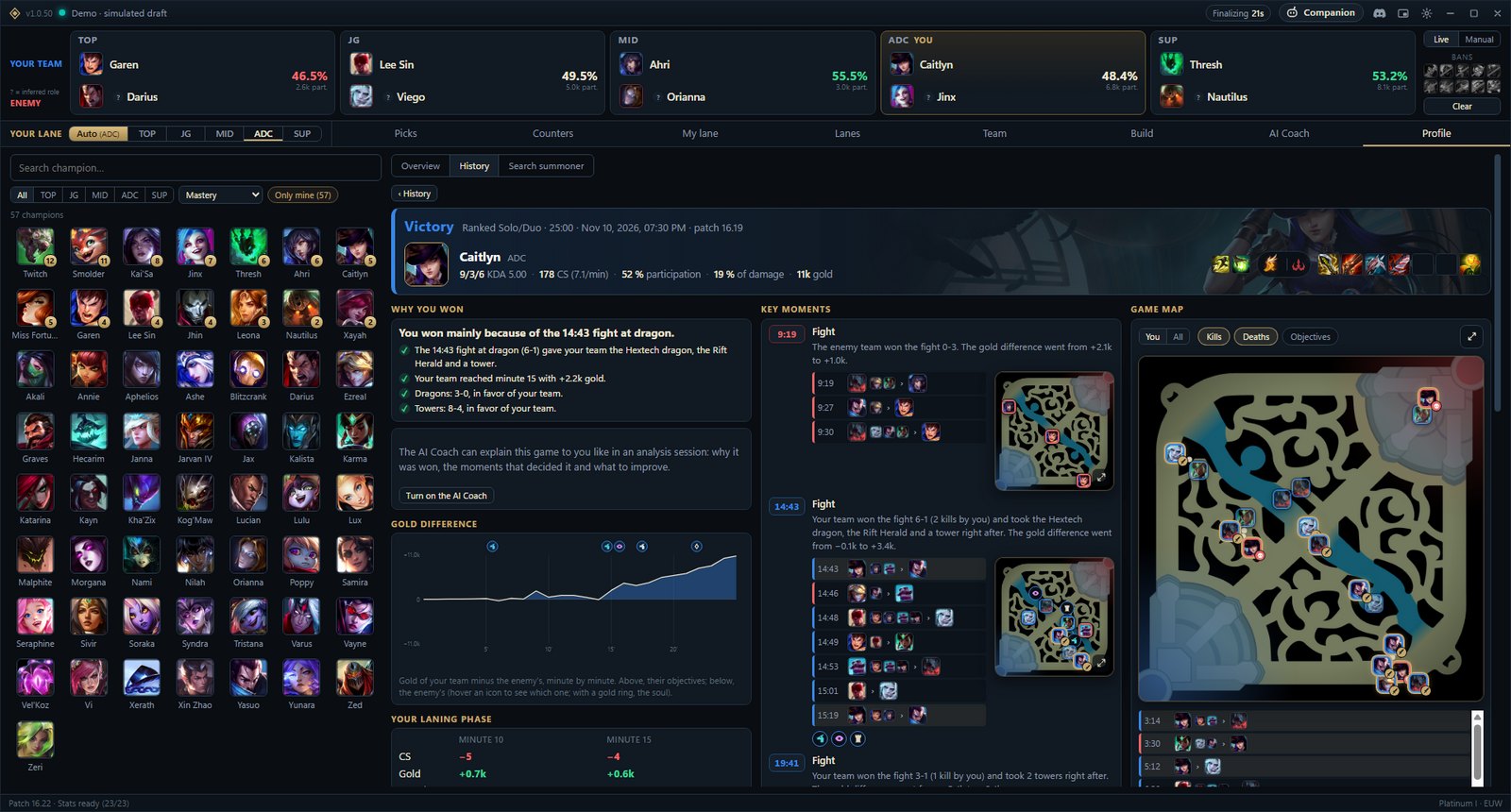
Profile and match history
Why you won, or why you lost
Open any of your games to see its key moments explained, the gold difference minute by minute, a map of every fight and your laning phase. Look up any summoner by Riot ID and, from the loading screen, check all five enemies’ profiles.
- Your worst and best matchups, from your own games
- Everything is read from your League client, not from third-party sites
- Your games are stored only on your PC
Companion
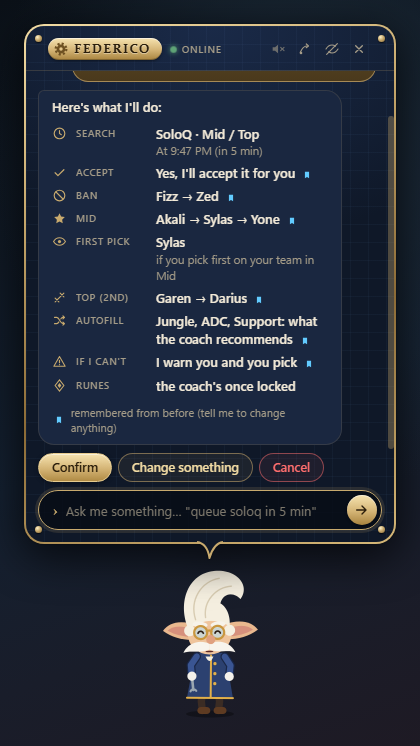
A buddy who handles the client for you
It lives on your screen and handles the basics of the client when you ask in your own words: “queue soloq in 5 minutes, pick akali mid and ban fizz”. It asks what it needs, remembers it for next time and always gives you a few seconds to change it yourself.
- Queues up, accepts, bans and picks based on your role
- Chats about your games, rank and streaks
- Off by default: turn it on whenever you like
Get started in a minute
- Download itThe Windows installer, always the latest version.
- Install itNo admin rights needed. If Windows warns you: “More info” → “Run anyway”.
- Open LeagueIt connects to the client on its own and joins you in your next champ select.
Windows 10 or 11, 64-bit · All versions and release notes
Frequently asked questions
Is it free?
Yes. The draft coach is free and needs no account. The companion will use a free Drafter account to count its daily uses per Riot account.
Can I get banned for using it?
The coach only reads champion select from your client, through the same local API Blitz, Porofessor or U.GG use, and shows nothing the game hides. The companion does act in the client when you ask it to (queue, accept, ban, pick); Riot has no official API for that, so use it at your own risk.
What do I need?
Windows 10 or 11 (64-bit) and the League of Legends client. It connects on its own as soon as you open the client.
Windows says “Windows protected your PC”
The app isn’t digitally signed yet, so SmartScreen warns you the first time. Click “More info” and then “Run anyway”. It installs into your user folder, without admin rights.
How does it update?
You only install it once. When a new version is out it lets you know (never in queue, champ select or in game) and updates in one click, or on its own if you turn that on in Settings.
What is Coach AI?
An optional feature: with the AI you prefer (Gemini, Claude, ChatGPT and others, or a model on your PC) and your own key, it explains your draft, answers in a chat and reviews your profile. Without a key, everything else works the same.
What data does it collect?
Without an account nothing leaves your PC except champion stats requests to OP.GG and the check for new versions. The privacy policy has the details.
Join the community
Release news, ideas, bug reports and people to play with. Testers try new features before anyone else.